Reel: Wave Carousel
Engineering an infinite horizontal 3D reel with velocity-driven sine wave distortion using React Three Fiber, custom vertex shaders, GSAP, and Lenis.

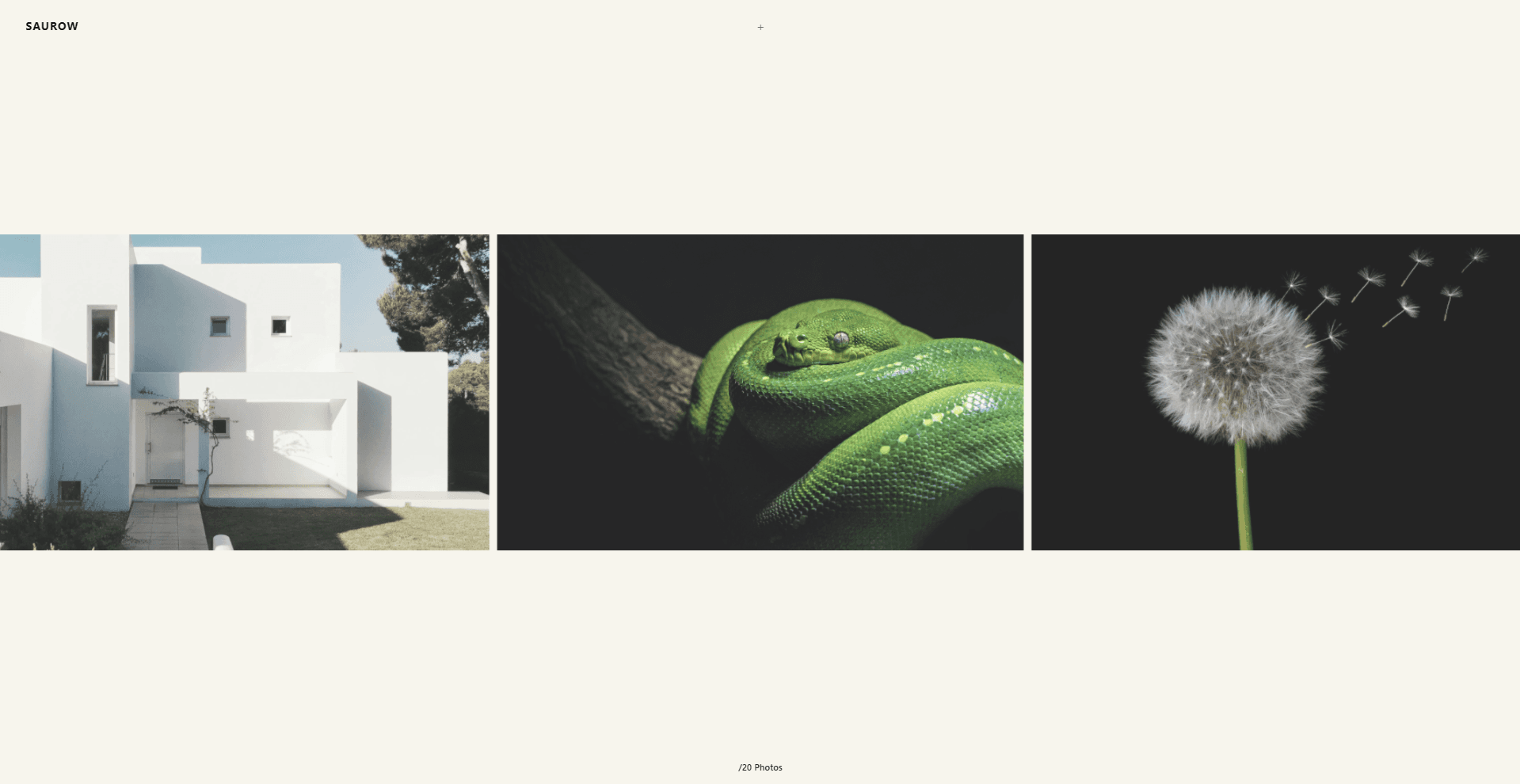
I am Saurabh Thapliyal, a creative developer building interactive digital experiences with WebGL and WebGPU. I developed Reel-Flux, an experimental 3D horizontal gallery designed to present photography through physical, velocity-reactive ribbon dynamics.
Context
I began by exploring how we interact with photography on the web. Most digital galleries rely on conventional horizontal sliders or rigid grids that feel static and detached from the physical qualities of film. I wanted to create an experience where the gallery feels alive—blending the fluidity of analog film reels with modern graphics technology, giving viewers an intuitive and tactile connection to each photograph.
Approach
The website is designed to help visitors naturally experience the atmosphere and rhythm of the imagery as they scroll. Rather than sliding cards linearly across a flat 2D plane, I treated the collection as an elastic 3D ribbon floating in space. To achieve this, I implemented the following approach:
Project Structure
The codebase is organized into lean, focused modules that decouple DOM scroll orchestration, GPU shader generation, and 3D rendering:
reel-flux/
└── src/
    ├── app/
    │   ├── layout.tsx         # Root layout & global styles
    │   ├── page.tsx           # Entry page mounting Landing
    │   └── page.module.css
    ├── components/
    │   └── Landing/
    │       ├── index.tsx      # DOM wrapper, Lenis mounting & UI overlays
    │       ├── scene.tsx      # Three.js WebGPURenderer initialization
    │       ├── mesh.tsx       # Infinite modulo loop & responsive plane mesh
    │       └── style.module.scss
    ├── hooks/
    │   └── useScroll.ts       # Lenis virtual scroll & zero-overhead state store
    └── lib/
        ├── Shader/
        │   └── index.ts       # Procedural TSL vertex & color node graphs
        └── data.ts            # Photographic assets & texture image paths
By isolating the procedural WebGPU nodes in lib/Shader/ and the Lenis scroll bridge in hooks/useScroll.ts, the 3D scene in components/Landing/ remains purely dedicated to matrix transforms and smooth render loops.
Infinite Scrolling
I developed an infinite scrolling mechanism on the main page, allowing visitors to seamlessly transition from one photo to the next for a fluid and stress-free browsing experience. Using Lenis for smooth inertia, vertical scroll progress is mapped directly into horizontal ribbon flow.
To keep performance locked at 120 FPS without DOM inflation, each card wraps symmetrically around the screen edges using a double-modulo formula:
// Symmetrical double-modulo wrapping centered on screen
const offset = (i - total / 2) * stride - scrollX;
mesh.position.x = ((((offset + half) % totalWidth) + totalWidth) % totalWidth) - half;
Velocity-Driven Dynamics
Additionally, I designed the scrolling effect to change dynamically based on scrolling speed, further enhancing the sense of control. As users scroll faster, the velocity modulates procedural sine waves in world coordinates.
Cards physically arch into depth (Z-axis), undulate vertically (Y-axis), and exhibit an aerodynamic torsional twist. When scrolling stops, the ribbon smoothly settles back into its flat resting state.
WebGPU & Node Shaders (TSL)
The 3D scene is rendered using Three.js's new WebGPURenderer and composed with the Three.js Shading Language (TSL). Instead of managing raw GLSL string concatenations, vertex displacements and custom film-tone grading are built as modular, type-safe shader nodes executed entirely on the GPU:
// Procedural wave & aerodynamic torsion via Three.js TSL
const wavePhase = worldX.mul(uWaveFreq);
const dynY = sin(wavePhase).mul(uVelocity).mul(uAmpY);
const dynZ = cos(wavePhase).mul(uVelocity).mul(uAmpZ);
const twistZ = localY.mul(sin(wavePhase)).mul(uVelocity).mul(uTwistZ);

export const reelPositionNode = positionLocal.add(vec3(0.0, dynY, dynZ.add(twistZ)));
Adaptive Layout & Performance
To ensure a comfortable viewing experience across mobile and desktop displays, card dimensions dynamically adjust to the viewport aspect ratio. On mobile portrait screens, cards scale to 70% width so adjacent photos peek into frame, inviting continuous exploration while shared material graphs eliminate GPU pipeline hitches.